Minggu, 21 Agustus 2011

AgataSoft Auto PingMaster Mania

This freeware program is a small auto ping utility. It can be used to check your Internet connection. You always will know where is a problem of your network. Utility Auto PingMaster has a friendly user interface, so you do not need to run the command prompt window to ping a host.


Download Here
Key features of AgataSoft Auto PingMaster:
  1. Automatic ping one or more IP adresses or domians.
  2. Inboard trace route utility.
  3. Realtime ping statistics.
  4. Quick view realtime ping statistics in tray hint.
  5. for Windows 2000, 2003, XP, Vista, Seven

Sabtu, 20 Agustus 2011

Driver Genius Professional Edition v10.0.0.526 + krack

Driver Genius Professional can manage your PC to get 100% up to date Drivers and optimize PC performance. Driver Genius Professional is a powerful driver manager for Windows that can backup, restore ,search and update your drivers automatically with only a couple of mouse clicks!


Drivers Backup:
================
Driver Genius can detect and quickly backup drivers installed on the system. It can compress the backup drivers to a zip file, self extracting file or an independent executable auto installer program.

Drivers Restore:
=================
You no longer need to install drivers one by one after reinstalling your Operating System. Just one click can install all your backed up drivers automatically. You can also install drivers via command line silently. If you need install drivers on multiple PC with the same hardware configuration, Driver Genius can save you a lot of time when reinstalling your systems.

Drivers Update:
================
Are you still using an old or beta version drivers? Those faulty drivers may cause compatibility problems. They are the biggest hidden problem that cause systems to crash. A suitable drivers can improve system performance by 50% or even more. There are more than 30,000 device drivers in the database of Driver Genius, including Motherboard, Sound card, Video card, Network card, Modem, Mouse, Keyboard, Scanner, Printer and Digital devices etc. With one click, Driver Genius will work out all drivers that need updating. All drivers we offer are official versions or WHQL versions, you can use them without any compatibility worries.

Drivers Uninstall:
===================
There may be some leftover drivers in your system because of changing hardware or updating drivers. Driver Genius can find these drivers that are no longer in use and quickly uninstall them.

LiveUpdate:
============
We update a large numbers of drivers on our website everyday. You can synchronize your local Driver Genius database with the latest drivers by using our LiveUpdate program.

Requirments & Additonal Info:
==============================
Current Version: 10.0.0.526
Operating System:
Windows 98/98SE
Windows ME
Windows 2000
Windows XP/XP x64
Windows Server 2003/Server 2003 x64
Windows Vista/Vista x64
Windows 7/7 x64

Tested And Working... Scanned (With Kaspersky) And 100% Clean

Homepage : http://www.driver-soft.com/

PcMav - Ramnit Killer

Ramnit is one virus that continues rampant lately. Characteristics of the most easily recognizable on a computer that has infected Ramnit is the creation of 4 pieces shortcut on a removable disk with the name:
Copy of Shortcut to (1). LnkCopy of Shortcut to (2). LnkCopy of Shortcut to (3). LnkCopy of Shortcut to (4). Lnk
Behind the shortcut is easily visible, many other Ramnit actions that are not easily detected, among others infect files *. exe / *. dll / *. htm / *. html, injecting multi-processes in memory, and tried to download other malware. Ramnit equipped with advanced capabilities that make stealth rootkits in memory. Ramnit can infect a computer a clean with a variety of techniques, through exploit shortcuts, autorun, or through execution of the exe file / etc and HTML that have been infected.
PCMAV Express for Ramnit made to clean many variants Ramnit the in-the-wild, stop the process Ramnit on the infected computer memory, cleans infected files Ramnit, both executable files and HTML completely and accurately on any drive (hard disks and removable disks ) installed, and repair registry altered Ramnit.


Terms of Use:
  1. Run PCMAV for Ramnit of the hard disk, avoid running it from a flash drive can remember shortcut Ramnit executed when you click on an infected flash disk drive via Windows Explorer.
  2. Make sure your users have Administrator equivalent rights.
  3. Disable / close applications (antivirus, Windows Explorer or other programs) that are still active so as not to interfere with PCMAV Express.
  4. Disable Autorun function (reference link: http://support.microsoft.com/kb/967715).
  5. Plug the flash that infected the computer in order to participate cleaned by PCMAV Express for Ramnit, but do not be accessed.
  6. Make sure your computer is * not * connected to the network or the Internet during the scan.
  7. When finished, it is advisable to restart and re-scan (if necessary).
  8. Once the virus successfully completed, immediately update / patch your Windows.
Make sure that all PCs that have been connected in the network have also been free Ramnit, before you return your PC is connected to the network.
Update:
This section will be updated in accordance with the development of virus Ramnit that we continue to monitor. Ramnit new variant (or other viruses) that you find can be uploaded to: http://upload.virusindonesia.com.
Until now PCMAV Express for Ramnit been able to handle 13 Ramnit variant that functions as a virus dropper:
  1. Ramnit.A.dropper
  2. Ramnit.B.dropper
  3. Ramnit.C.dropper
  4. Ramnit.D.dropper
  5. Ramnit.E.dropper
  6. Ramnit.F.dropper
  7. Ramnit.G.dropper
  8. Ramnit.H.dropper
  9. Ramnit.I.dropper
  10. Ramnit.J.dropper
  11. Ramnit.K.dropper
  12. Ramnit.L.dropper
  13. Ramnit.M.dropper

PCMAV main engines regularly will be updated following the development Ramnit.


Jumat, 19 Agustus 2011

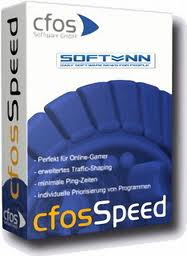
All Bout Cfosspeed

What is cFosSpeed?
cFosSpeed is a network driver, which attaches itself to existing Internet connections. It then optimizes data transfer by means of Traffic Shaping.

Traffic Shaping is a method for optimizing the Internet traffic. It allows maximum speed while ensuring minimal Ping.

You can use cFosSpeed with a router and/or a DSL-modem or cable-modem. You can also use cFosSpeed with other types of Internet access, ie. whenever you already have an existing Internet connection.

cFosSpeed supports a wide variety of connections, like DSL, cable, ISDN, UMTS, etc.


cFosSpeed has two goals 
  1. Keep network delays (ping times) small, in order to make Internet applications as responsive as possible.
  2. Improve data throughput by avoiding network congestions.
You can use cFosSpeed with an Internet connection you use exclusively or which you share with several PCs.

System requirements: 
  1. Windows XP / Windows Vista / Windows 7, but also Windows 2000
    32bit / 64bit (x64)
  2. Existing Internet connection
Revision history Final
http://www.cfos.de/speed/whatsnew.shtml
Revision history Beta
http://www.cfos.de/beta/cfosspeed_whatsnew.txt
Revision history Indonesian Language
http://www.cfos.de/download/download_id.htm

(NEW Final)cFosSpeed 6.60 build 1852 -- 11-May-2011

6.60 Final - x86
http://www.cfos.de/cfosspeed-v660.exe

6.60 Final - x64
http://www.cfos.de/cfosspeed-x64-v660.exe
 
6.61 Beta - 32bit / 64bit (x64)
http://www.cfos.de/beta/cfosspeed-v661-build1877.exe

(NEW BETA)cFosSpeed 6.61 build 1877

Box trial reset 2.0
http://www.mediafire..com/?5kbtdmuyd5oyoaw
pswrd link :  nsaneforums
rar pswrd  :  cfosfpeed

or mirror no pswrd
http://www.box.net/shared/zdddlu22cm  


This program is for the cFosSpeed v6.04. It resets a trial license so you have more time to evaluate the program. It was tested on WinXP (x86) and Win7 (x86/x64). It may not work with the latest patches/updates.
Instruction:
  1. Install cFosSpeed. (If already installed, then skip to step 2.)
  2. When you want to reset the trial period, just execute the TR and select [ RESET ].
    (-a-) Automated = It automatically adds a 30-day trial license when the computer starts. The cFosSpeed will start only if a trial license is vallid. [If you use HIPS, make sure you allow it.]
    (-b-) Manual = It manually adds a 30-day trial license and it Uninstalls the automated trial reset process.
  3. To uninstall, just select (Manual) / [RESET].

Daemon Tools Pro Advanced 4.41.0314 - Full Patch

NowI will  share the latest version of Daemon Tools Pro Advanced 4.41.0314 Full Version. Do you already know it function? You can use it to create a virtual drive and open the file format. Mds,. Md5,. Mdf, and so on. Usually the installation of certain games or software that uses Daemon Tools.

Screenshot :


Download:


Rabu, 10 Agustus 2011

Sothink Logo Maker full version

Sothink Logo Maker is one of the software manufacturer's logo with the interesting features and ease of use. Though not enter the ranks of the best logo maker software toptenreviews.com version, Sothink Logo Maker can be an attractive alternative for those who want to make the logo easily.


Download : http://www.ziddu.com/download/10206805/Sothink.Logo.Maker.v1.1.b106.fullversion.rar.html

Your Ad Here
Twitter Delicious Facebook Digg Stumbleupon Favorites More

 
Design by Free WordPress Themes | Bloggerized by Lasantha - Premium Blogger Themes | Best Web Host